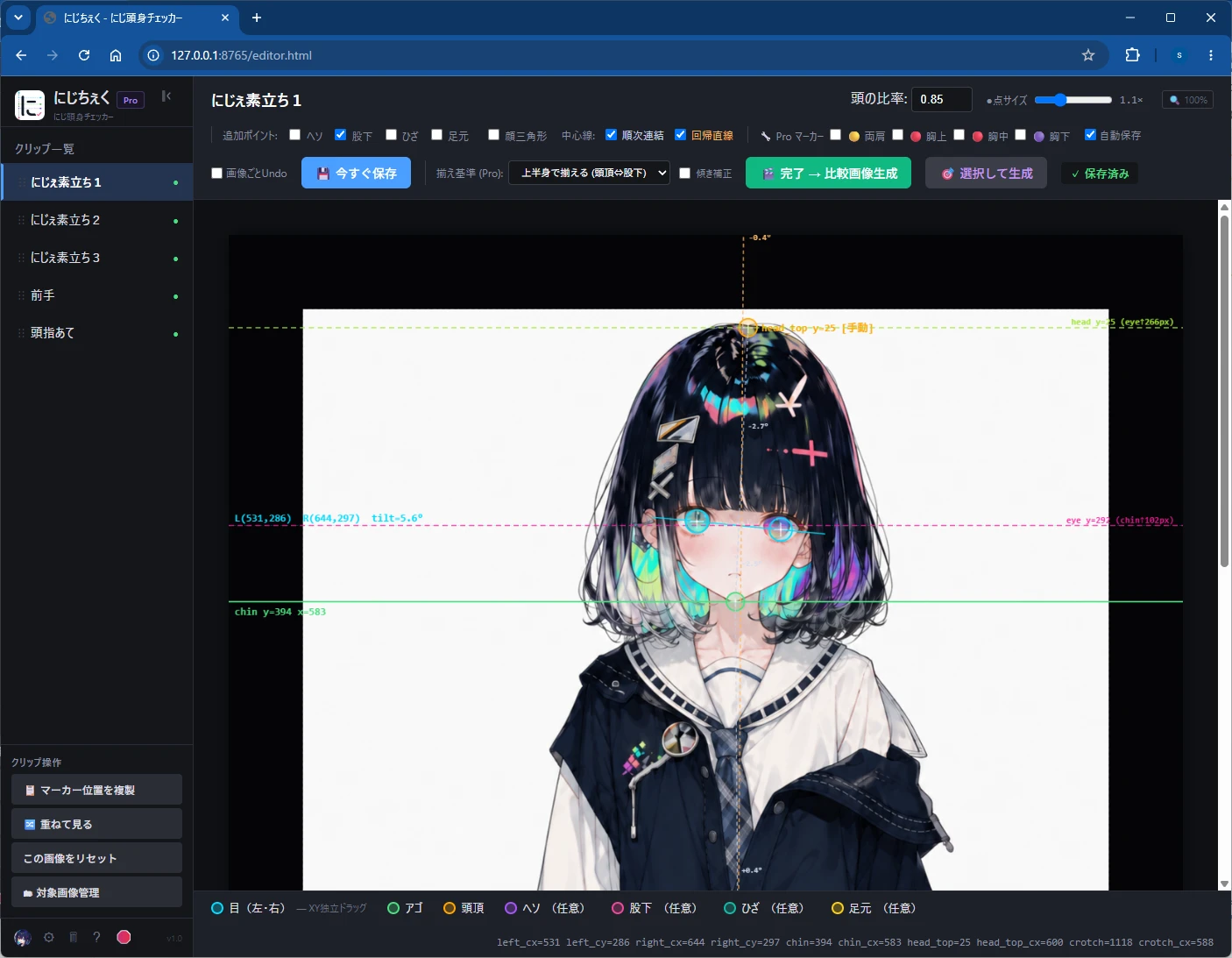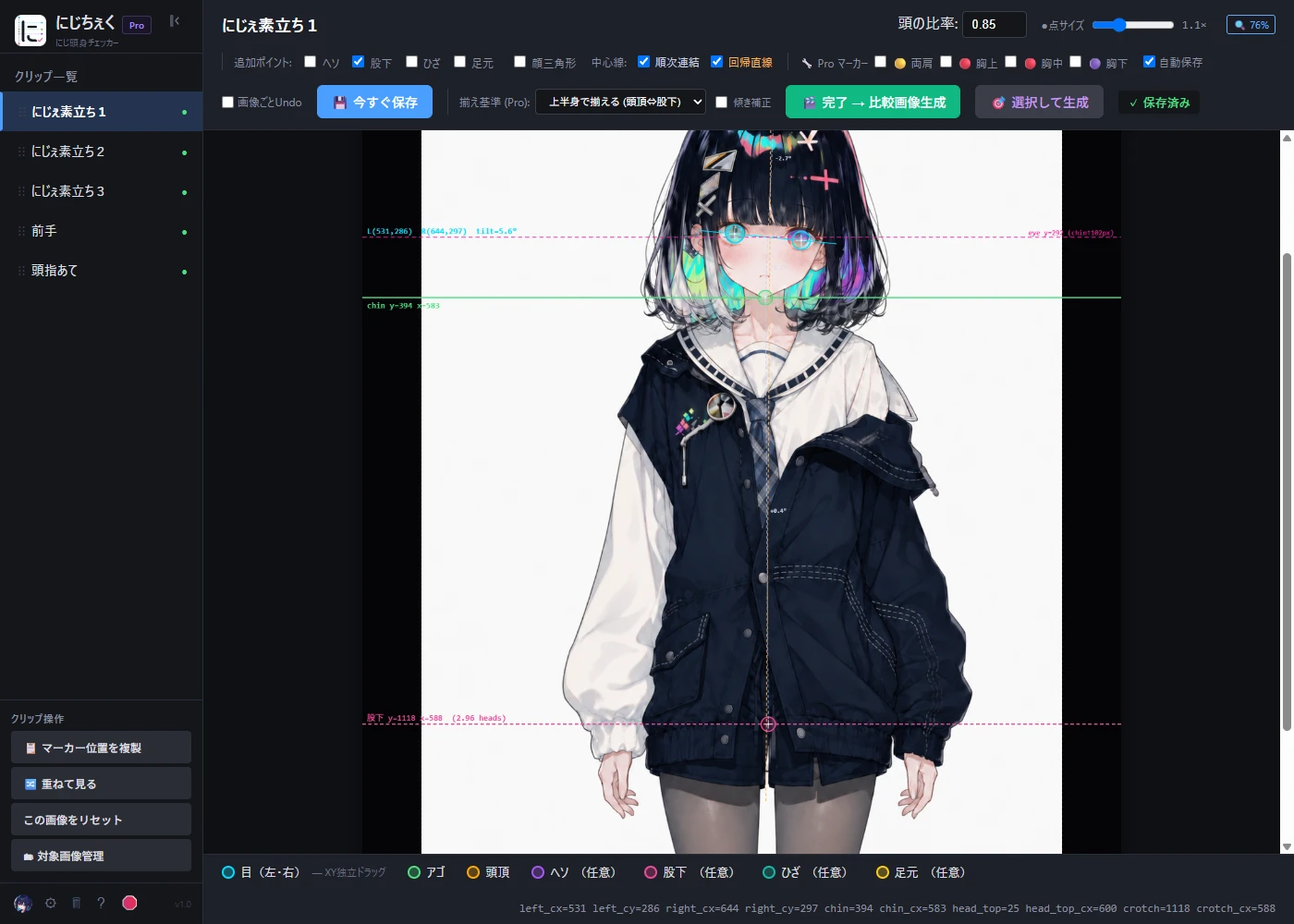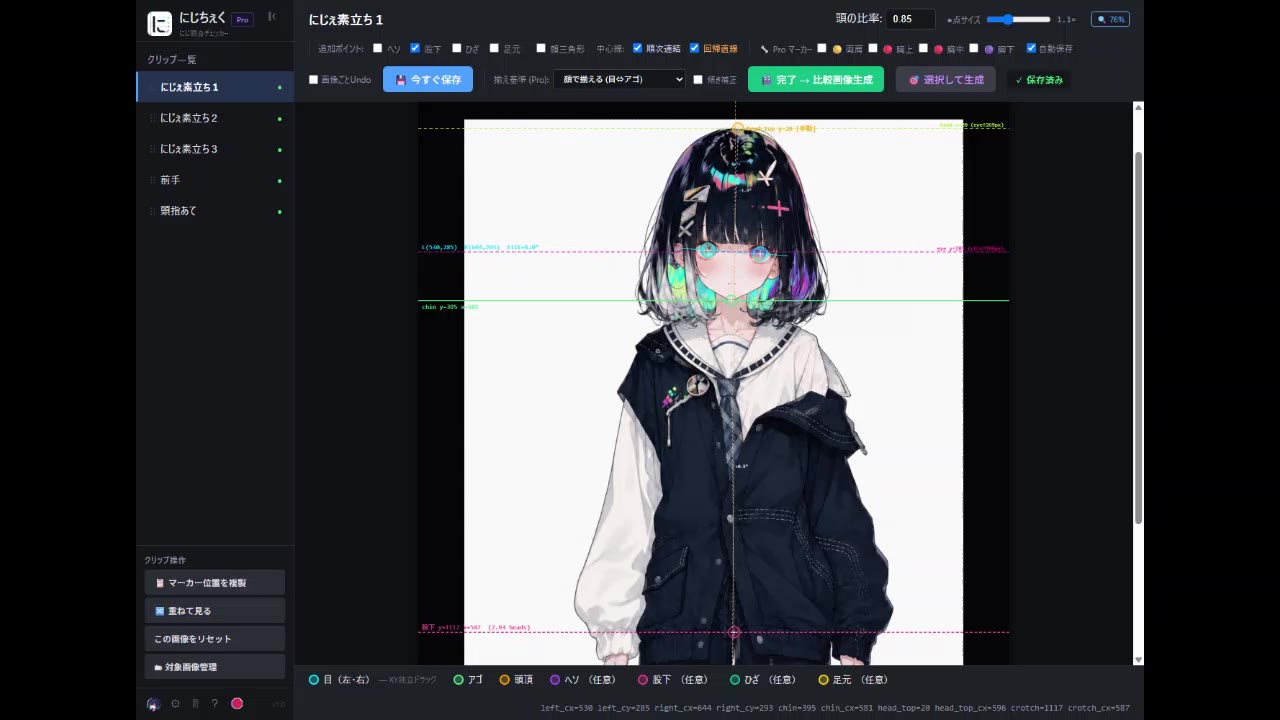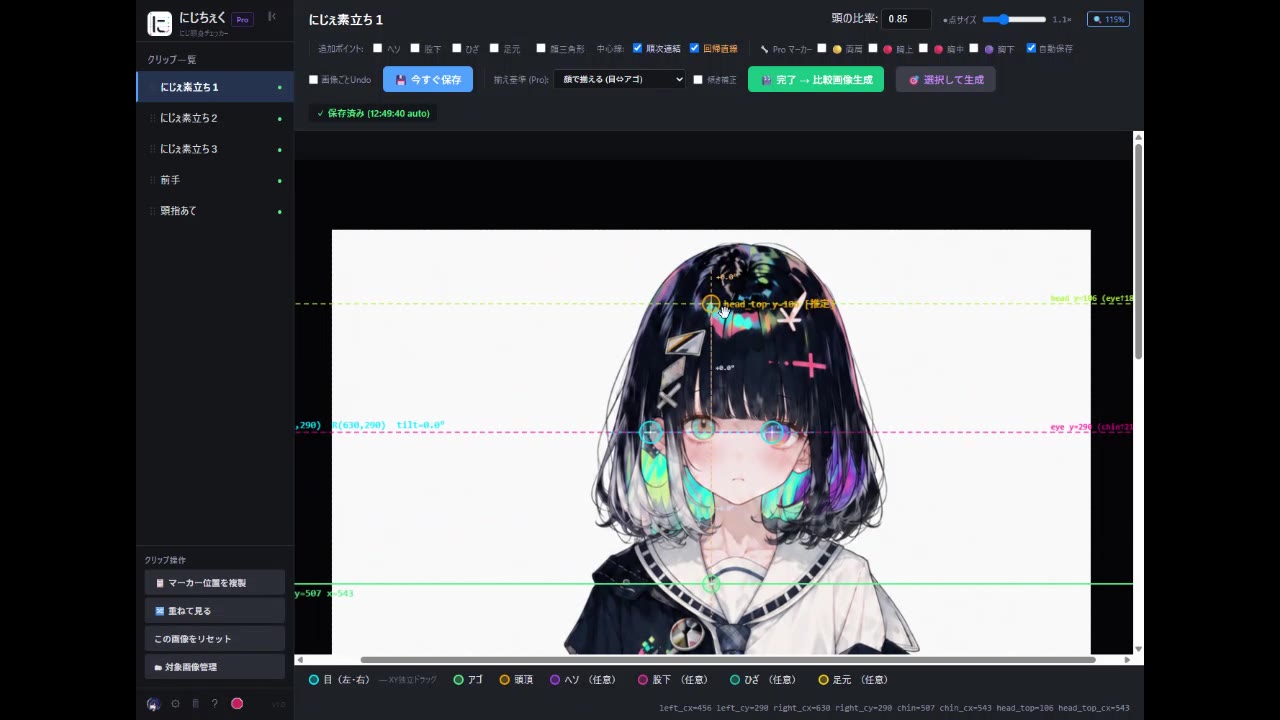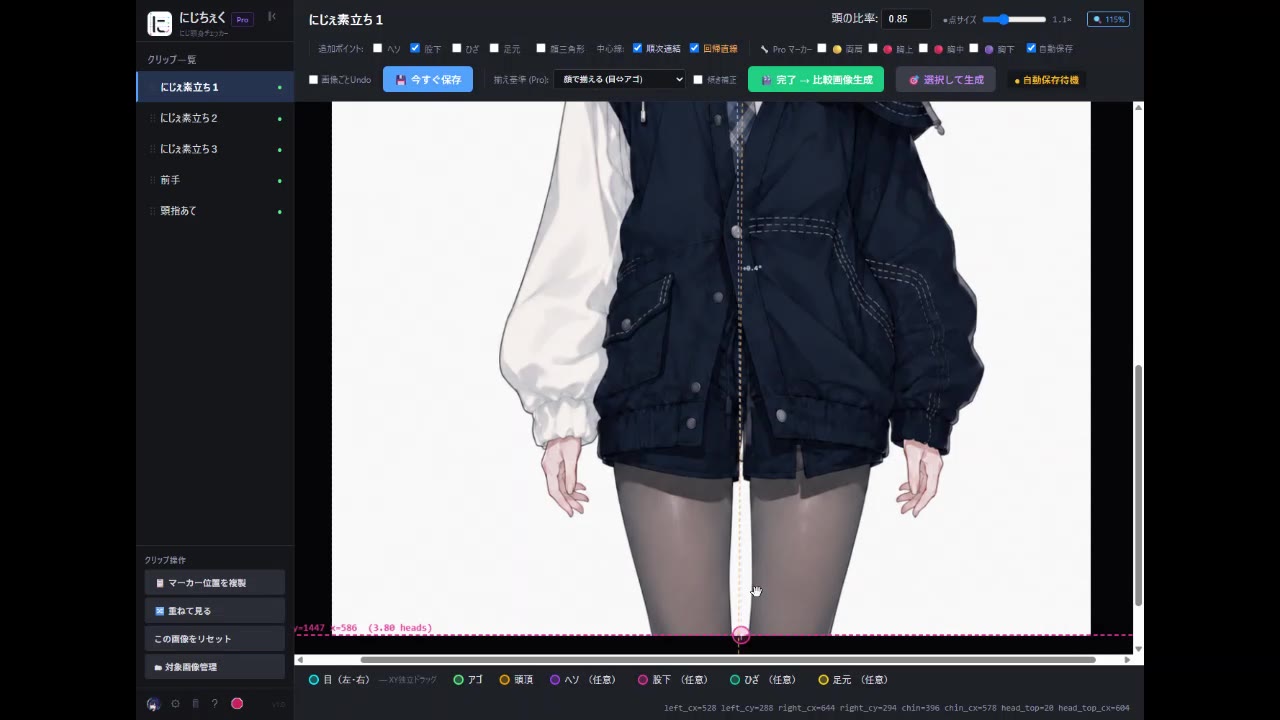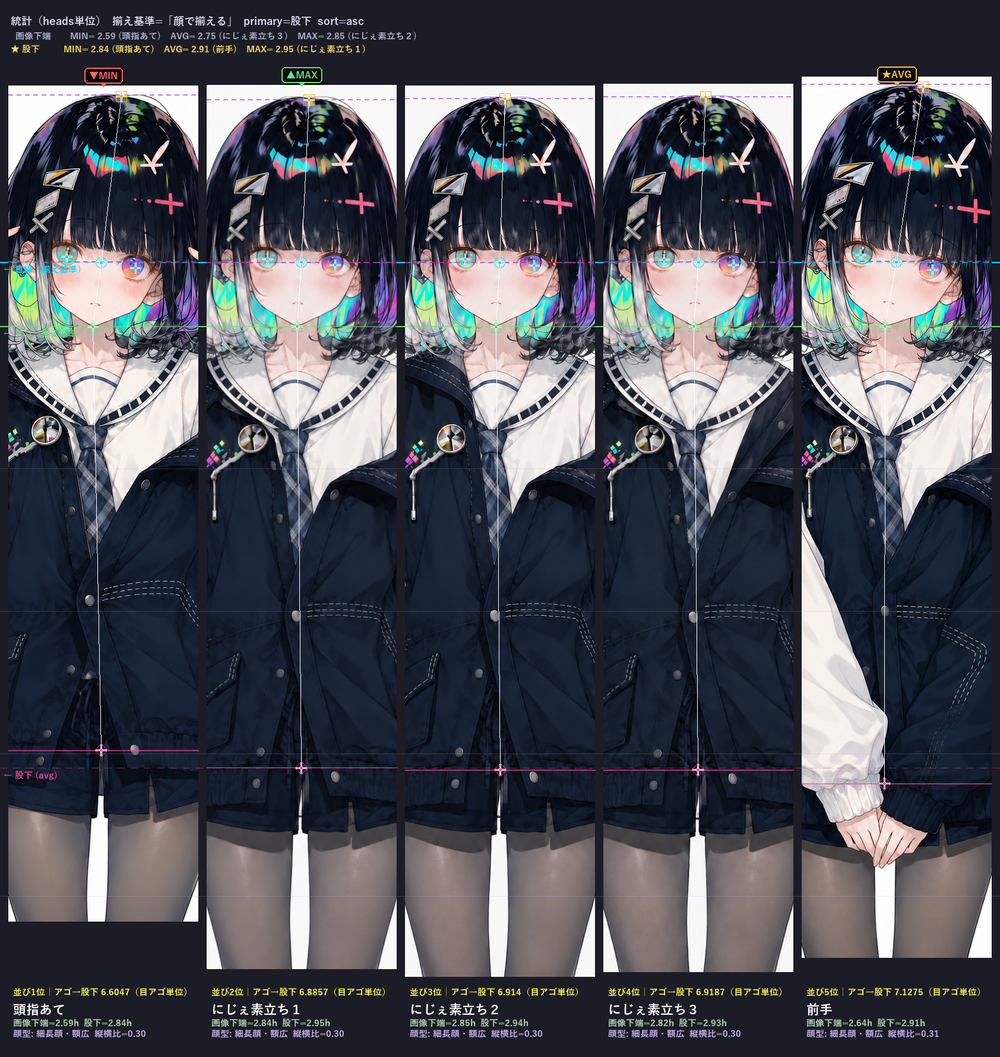
実物と同じ操作。マーカーをドラッグして、目・アゴ・頭頂・股下に合わせてみて。 Same operation as the real tool — drag each marker onto the eye, chin, head-top and crotch.
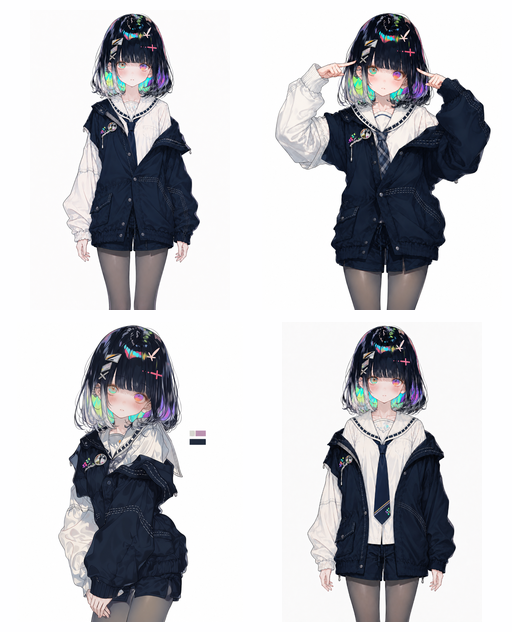
この 4 枚、ぜんぶ “同じキャラ” のつもりで AI 生成したんだけど…… These 4 were all AI-generated as the “same character”…
サイズも構図もバラバラだから、頭身が合ってるかは——並べただけじゃ、分からない。 Different sizes, different framing — so you can’t tell if the proportions match just by lining them up.
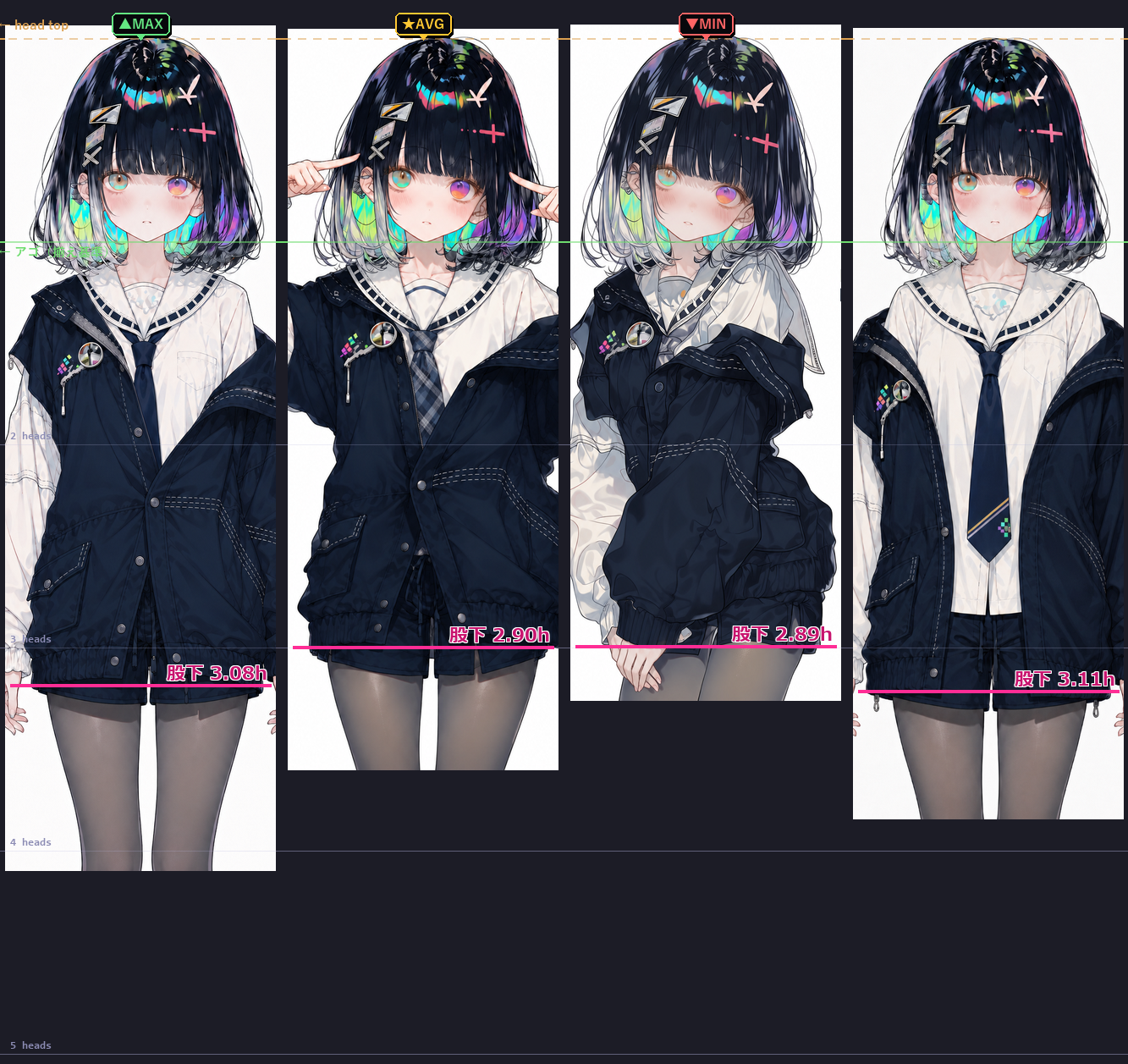
じゃあ、頭を揃えて確かめてみよう ↓ So let’s align the heads and check ↓
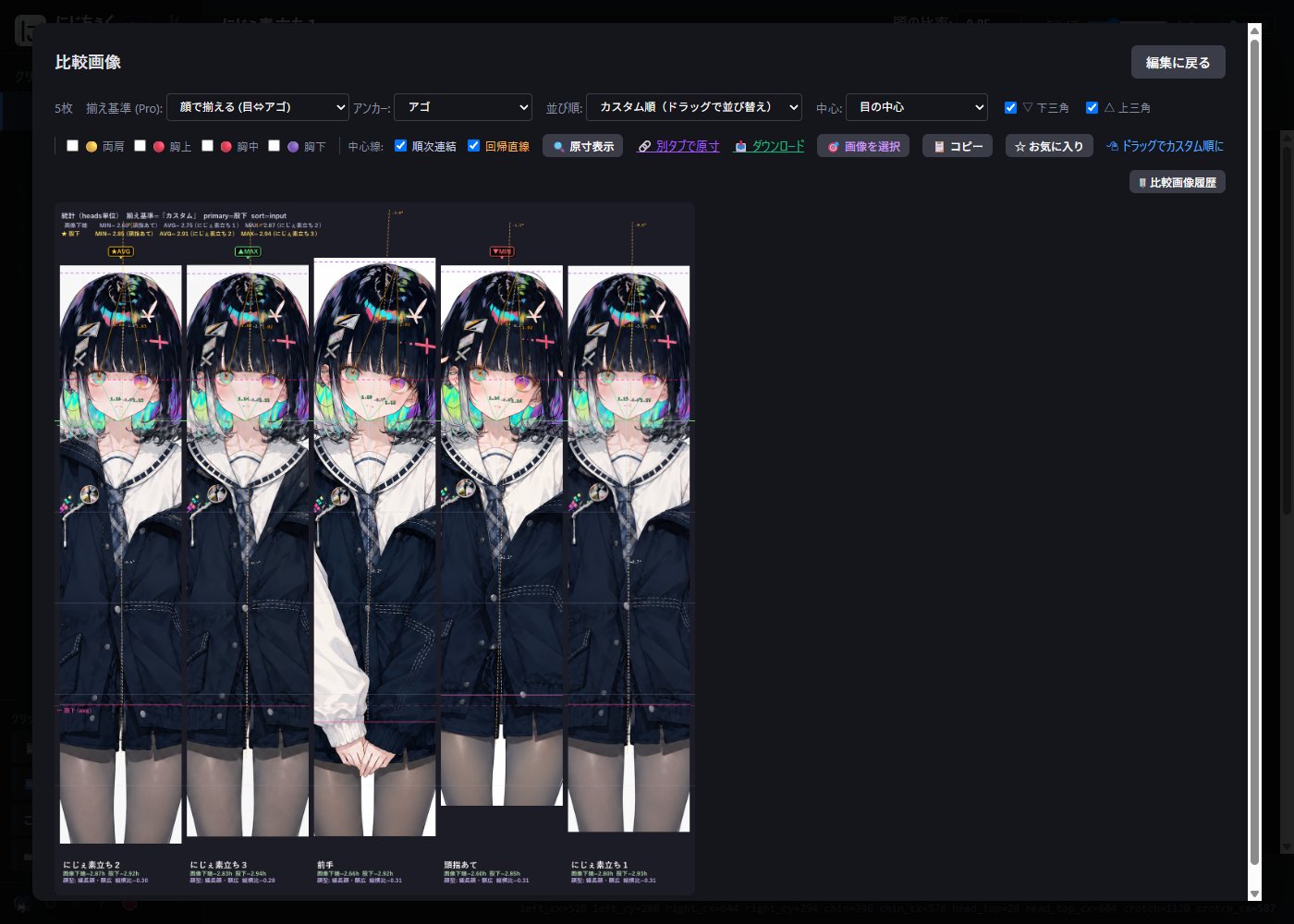
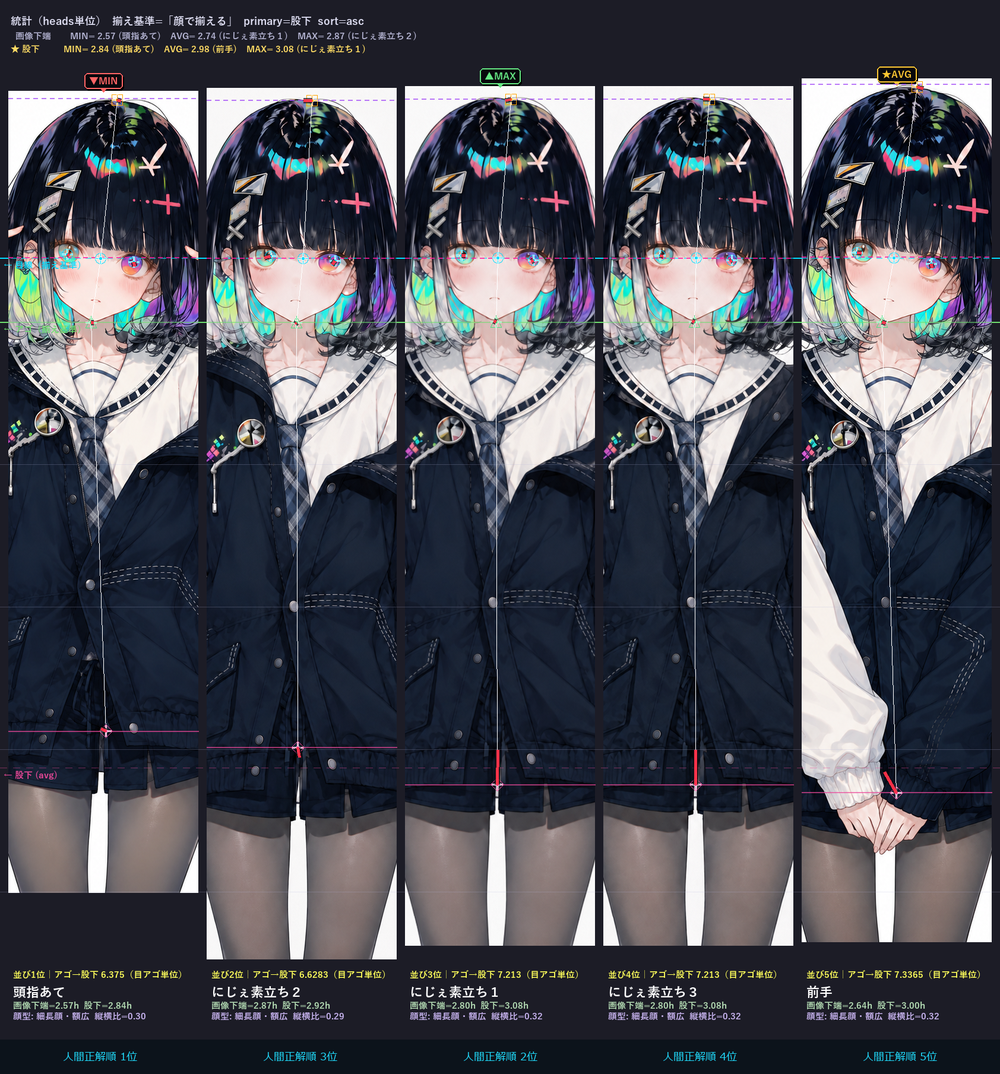
顔は同じキャラ。なのに、上半身の比率はこれだけ違う。 The same character — yet the upper body is this different.
※ 一番左が、あなたがマーカーを打った絵。残り3枚は座標を仕込み済み。
ピンクの線=股下の高さ(頭頂から頭何個分か)。同じキャラなのに 2.89〜3.11 でバラバラ。
目視じゃ気づけないズレも、顔を揃えれば一目で見える ― それがにじちぇく。
* The leftmost is the one you just marked; the other three were pre-set.
Pink line = crotch height (in head units from the top). Same character, yet 2.89–3.11.
Drift you'd never catch by eye becomes obvious once the heads line up — that's nijicheck.
生成・描いた後の「検査」に特化した、唯一無二のツール。 A one-of-a-kind inspection tool for after you generate or draw.
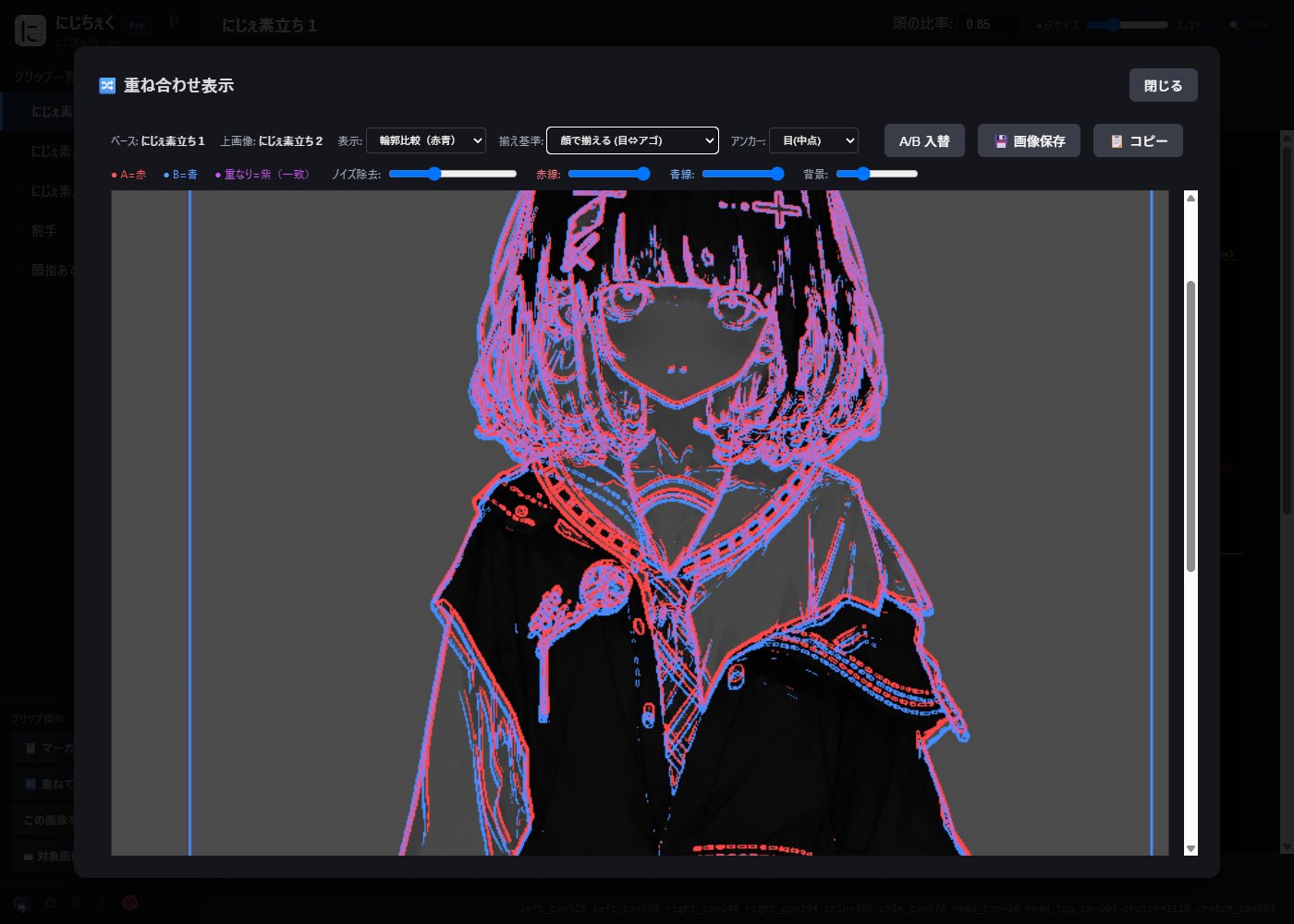
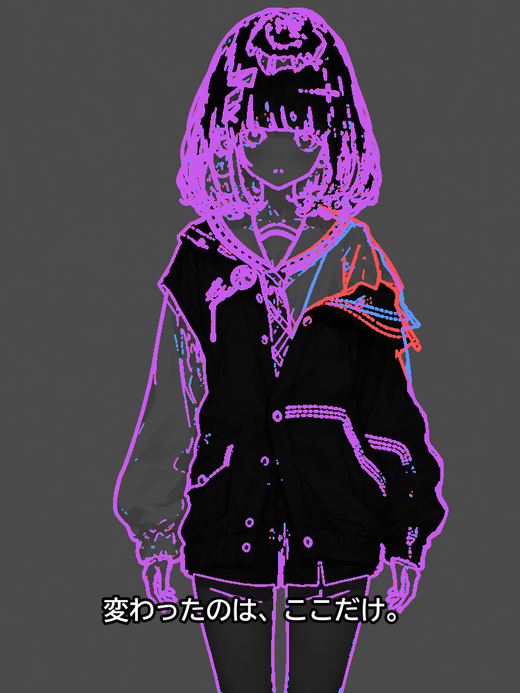
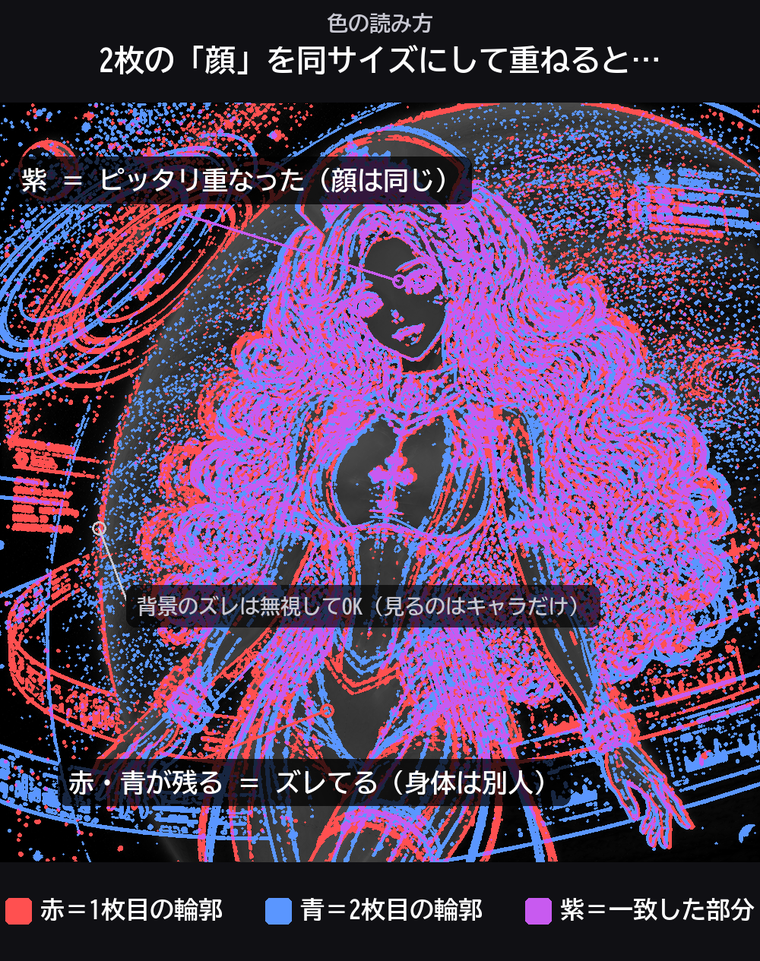
複数の絵を頭の大きさで揃えて横に並べる。2枚重ねれば、赤青の輪郭がズレたところだけ紫に浮く。
Line up images at the same head size. Stack two and the red/blue outlines turn purple exactly where they drift.
最大・最小・平均が出るから、頭身がブレてる 1 枚を一発で弾ける。100 枚のガチャでも。
Max/min/average stats surface the odd one out at a glance — even in a 100-image batch.
画像も座標も PC の外に出ない。未発表キャラも依頼絵も安心。インストール不要・exe 1個でダブルクリック即起動。
Nothing leaves your PC — safe for unreleased characters and client work. No install: one .exe, double-click and go.
マーカーをドラッグで合わせるだけ。Ctrl+Z で戻せる。ドラッグ中はカーソルが半透過して絵を隠さない。
Just drag the markers into place. Ctrl+Z undo; the cursor goes semi-transparent so it never hides your art.
exe をダブルクリック → ブラウザが自動で開く
Double-click the exe → browser opens automatically
比較したい画像フォルダをドラッグ&ドロップ
Drag & drop the folder of images to compare
各画像で目・アゴをドラッグ調整
Drag the eye/chin markers on each image
「完了」→ 比較画像が完成 🎉
Hit "Finish" → comparison image is ready 🎉
地味だけど、毎日使うと効いてくるやつ。 The quiet features that pay off daily.
まず無料版で「本物の体験」を。買切なのでサブスク不要。 Try the real thing free. One-time purchase, no subscription.
※ Personal → Pro は差額アップグレード可(無期限)。 * Personal → Pro upgrade at the price difference (no expiry).
コマンドラインから呼べる(バッチ解析・比較生成)。Python スクリプトや、ComfyUI/Discord Bot の中から CLI 経由で呼び出して、自分の自動化に組み込める。
Callable from the command line (batch analysis, comparison output). Wire it into your own automation — Python scripts, or called via CLI from ComfyUI / Discord bots.
ロゴ非表示で出力できるから、クライアント納品物にもそのまま使える。
Hide the branding — use outputs directly in client deliverables.
頭・顔・上半身・身長・肩上・胴。さらに自分の基準値も登録できる。
Head, face, upper body, height, above-shoulder, torso — plus your own custom baselines.
2枚を重ねて、ズレを色で可視化。輪郭比較(赤青→紫)・ポイント比較・不透明度ブレンドの3モード。
Stack two images and see drift as color. 3 modes: red/blue contours, point compare, opacity blend.
両肩+胸(上・中・下)の Pro マーカーを追加。顔・全身だけでなく、上半身の比率や「なで肩/いかり肩」のクセまで揃えて見れる。
Adds shoulder & chest (upper/mid/lower) markers. Check upper-body proportions and shoulder-slope quirks, not just face and full height.
比較に含める画像をチェックで選別。失敗作や別キャラを、ファイルは消さずに比較対象から外せる。
Pick which images go into the comparison. Drop failed gens or other characters without deleting the files.
β価格 ¥4,980 は先着 50 本。Personal からの差額アップグレードも無期限で可。 β price ¥4,980 for the first 50. Upgrade from Personal at the difference, no expiry.
| 機能 | Feature | Free ¥0 | Personal ¥1,480 | Pro ¥9,800 |
|---|---|---|---|---|
| 画像・比較 | ||||
| 対象画像上限 | 最大4枚 | 無制限 | 無制限 | |
| 比較画像の透かし | あり | なし | なし | |
| 商用利用 | × | ○(個人のみ) | ○ | |
| マーカー | ||||
| 目・アゴ・頭頂・股下・かかと(基本5種) | ○ | ○ | ○ | |
| ヘソ・ひざ | × | ○ | ○ | |
| 両肩・胸(Pro マーカー) | × | × | ○ | |
| マーカー一括複製(片側→反対側) | × | ○ | ○ | |
| 揃え基準 | ||||
| 目線・顎ライン・股下・頭頂(4種) | ○ | ○ | ○ | |
| 揃え基準 6種+カスタム基準値 | × | × | ○ | |
| 操作 | ||||
| ドラッグで点調整(左右独立) | ○ | ○ | ○ | |
| Undo/Redo(Ctrl+Z/Y・最大60) | ○ | ○ | ○ | |
| 自動保存(2秒ディレイ) | ○ | ○ | ○ | |
| バックアップ | ||||
| バックアップ枚数設定(0〜30枚) | × | ○ | ○ | |
| お気に入り画像(★)は枚数カウント外 | × | ○ | ○ | |
| 音声・UI | ||||
| 起動スプラッシュ | 常時ON | ○ | ○(OFF可) | |
| 321checkin 音声・操作音 SFX | 常時ON | ○(ON/OFF可) | ○(ON/OFF可) | |
| 音量スライダー(0〜100%) | × | ○ | ○ | |
| スプラッシュ表示 ON/OFF | × | × | ○ | |
| 起動方法 | ||||
| exe ダブルクリック | ○ | ○ | ○ | |
| フォルダ ドラッグ&ドロップ | ○ | ○ | ○ | |
| 右クリックメニュー「にじちぇくで開く」 | ○ | ○ | ○ | |
| UI・カスタマイズ | ||||
| 対象画像管理(チェックOFFで除外) | × | × | ○ | |
| サイドバーロゴ表示 ON/OFF(ホワイトラベル) | × | × | ○ | |
| ドラッグ中の手カーソル外観調整 | × | × | ○ | |
| CLI | ||||
| コマンドライン対応(バッチ解析・スクリプト連携) | × | × | ○ | |
| 重ね合わせ(2枚オーバーレイ) | ||||
| 通常重ね(不透明度ブレンド) | × | × | ○ | |
| 輪郭比較(赤青 → 一致は紫) | × | × | ○ | |
| ポイント比較 | × | × | ○ | |
| その他 | ||||
| 完全ローカル動作(外部通信ゼロ) | ○ | ○ | ○ | |
| インストール不要(exe 1個・即起動) | ○ | ○ | ○ | |
| Windows 右クリックメニュー登録 | ○ | ○ | ○ | |
| プラン名バッジ表示(Free / Personal / Pro) | ○ | ○ | ○ | |
簡易的な自動検出はありますが、AI イラストでは手動調整前提の「半自動」です。正直に。
There's basic auto-detection, but for AI art it's "semi-automatic" — manual tweaking expected. Honestly.
いいえ。通信ゼロ・完全ローカル動作。画像も座標もあなたの PC の中だけ。
No. Zero network, fully local. Images and coordinates never leave your PC.
現在は Windows 10/11 専用です。
Currently Windows 10/11 only.